

Wellness center management software connects the workflows behind wellness services, helping centres, spas, and studios coordinate their operations in one system.
Choose a platform by matching its capabilities to your facility’s service model and priorities.
This guide covers core functions, selection criteria, and how spa-focused software can serve Canadian operators.
Key Takeaways
- Use reporting to identify service demand, booking patterns, client retention, and attendance trends that can inform operational decisions.
- Assess whether online booking supports your centre’s mix of appointments, classes, and events, including how cancellations and waitlists are managed.
- Map payment workflows to your memberships, packages, drop-in rates, and in-person sales before selecting billing capabilities.
- Define how client profiles, preferences, records, and communications should support consistent service and appropriate access to information.
- For spa operations, Milano Software brings spa management, online booking, reporting, and point of sale capabilities into the operational toolkit.
Client management, reporting, and marketing
Management teams need client and performance data they can use to make operational decisions. Reports can track popular services, booking trends, revenue, client retention, and attendance. For example, a manager can compare demand for massage sessions with class attendance, then adjust staffing or service availability based on observed patterns. These insights link the client experience with day-to-day operations and revenue planning.
What features should wellness center management software include? Look for connected tools for client management, bookings and attendance, reporting, and marketing. A platform should help you move from a finding, such as fewer repeat visits, to a relevant follow-up without piecing together information from separate systems.
Reports should break activity into useful measures rather than compressing it into a single total. A wellness management platform may track sales, revenue, class attendance, client engagement, and staff performance. A centre could compare class attendance with sales for the same period, then decide whether to adjust the timetable or promote a service. Clear categories help managers distinguish a demand issue from a scheduling or sales issue.
Client retention reporting makes marketing more targeted. A centre can identify clients who haven’t visited for 30 days and send a re-engagement email. The timing creates a defined follow-up step; the message can reflect the client’s previous visits or preferences. Integrations with email marketing tools can connect campaign activity with operational reporting, helping managers assess whether outreach relates to bookings and revenue.
- Service demand: Compare popular services and booking trends before changing availability.
- Revenue mix: Review revenue breakdowns alongside service and retail sales.
- Attendance: Track class participation and appointment attendance to inform scheduling.
- Retention: Use visit patterns to plan relevant follow-up communications.
Marketing metrics are more useful with operational context. If bookings rise after an email campaign, compare them with service demand, attendance, and revenue. The figures can guide decisions, but managers still need to consider timing, capacity, and which services were promoted. Reviewing consistent categories and assigning an action to each finding makes reports easier to use.
Canadian centres handling personal information should account for PIPEDA and applicable provincial privacy rules, such as PHIPA. Define who can access client information and how it is used for services and communications. Match reporting permissions to staff responsibilities so teams can use operational insights without exposing more client detail than their roles require.
Online booking for appointments, classes, and events
Online booking gives clients a direct route to available appointments, classes, and events. In Canada, booking access can operate 24/7, allowing clients to select an available time without waiting for front-desk hours.
Appointment Scheduling
Appointment scheduling should show service availability clearly and keep bookings aligned with staff schedules. Clients should be able to view open times, select a service, and book online, with the appointment reflected in the operating schedule. Automated waitlists and cancellation handling can help a wellness centre offer newly available slots to interested clients.
Test the booking process on both a phone and a desktop. Check that service details, appointment times, and payment steps are easy to follow. Website embedding or links from social media can provide a direct path from service information to booking. Some platforms also support direct booking through Google.
For clinics, scheduling should match appointment types and how staff allocate time. A client booking a consultation, for example, needs to see the correct appointment type and available times. Reminders and confirmations can reinforce booking details, while cancellation workflows help staff manage changes. Test how the platform handles overlapping requests and updates, not just how its calendar looks.
Class and Event Booking
Classes and events need a booking flow that clearly identifies the session, schedule, and registration status. Clients should be able to find a class, reserve a place, and receive the details. If a studio offers in-person and virtual sessions, the system should distinguish the formats so participants register for the correct class.
Wellness businesses can offer live-streamed or recorded classes and take registrations for virtual sessions. A centre, for example, can list a scheduled online class alongside its in-person timetable. Attendance information can help managers understand participation and plan future schedules. Automated waitlists and cancellation processing can also help release places when a participant withdraws.
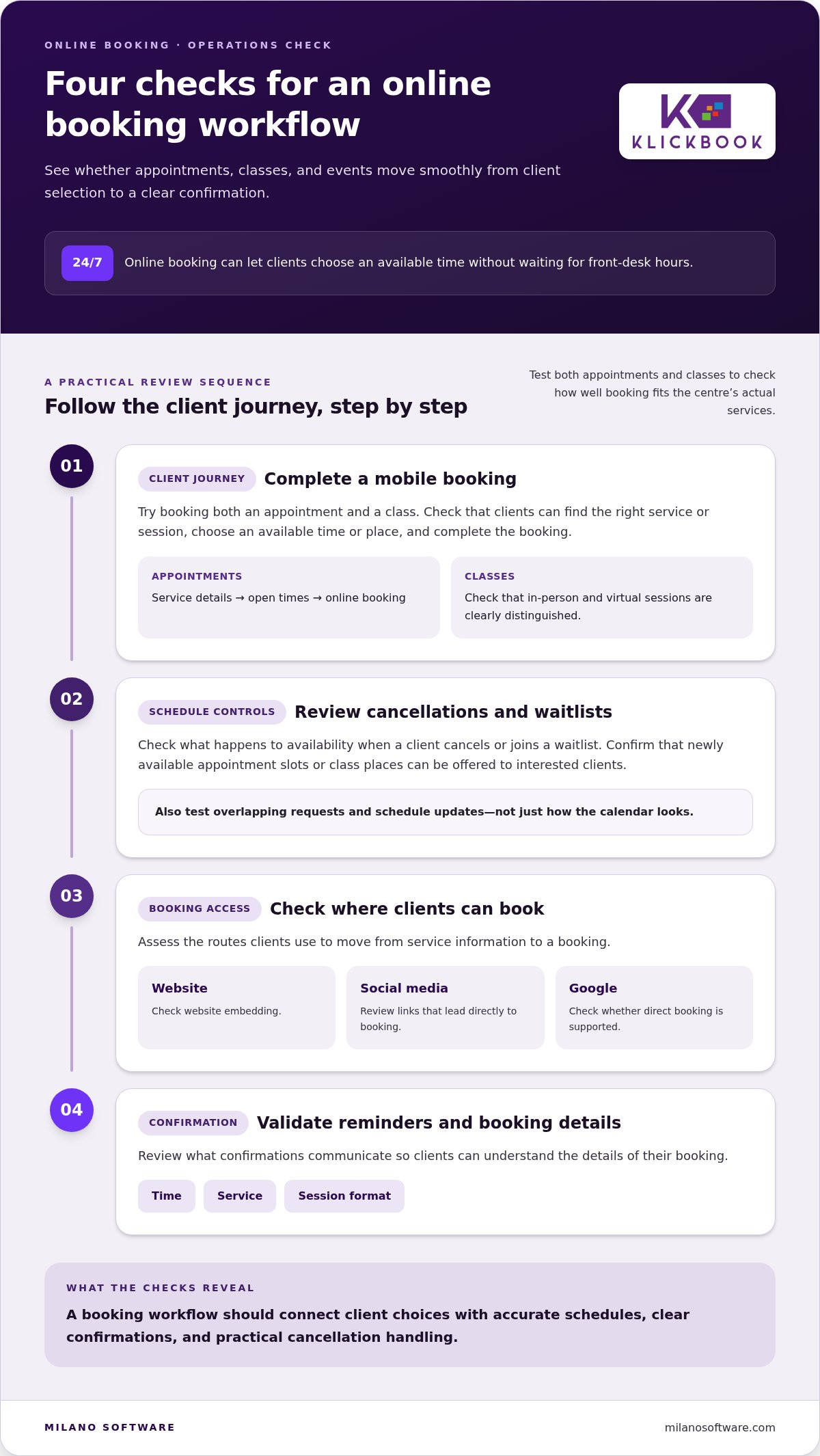
- Test the client journey: Complete a mobile booking for an appointment and a class.
- Review schedule controls: Confirm how cancellations and waitlists affect availability.
- Check access points: Assess website embedding, social media links, and Google booking.
- Validate reminders: Review what confirmations communicate about time, service, and session format.
These checks reveal whether online booking fits the centre’s actual mix of appointments and classes. A platform’s online booking workflows should connect client selection with accurate schedules, clear confirmations, and practical cancellation handling.
Payment processing, memberships and billing
A connected payment workflow links client purchases, memberships, and billing records with operational reports. Look for online booking and payment acceptance, membership tools, and integrations with accounting, email marketing, and video conferencing.
Payment Processing
Payment processing should cover online and in-person transactions. Check whether clients can pay by credit card or digital wallet, and how each transaction appears in operational records. A centre selling a session online and a product at reception, for example, needs clear records for both sales. Integrated payment handling can reduce separate administrative steps and support accurate revenue reporting.
Membership Management
Membership management should accommodate recurring plans, packages, drop-in rates, and promotional discounts. Review how the platform represents each option and records purchases. A studio might sell a recurring membership and offer a class package to occasional visitors. Automated renewal billing can reduce manual follow-up, while clear membership records help staff understand client entitlements and support loyalty initiatives.
Billing and Invoicing
Billing tools can automate client charges and membership renewals. Assess how charges are generated, recorded, and reconciled with services or products sold. Reports should distinguish a renewal from a one-time appointment payment. Consistent transaction categories help managers review revenue sources and spot billing exceptions without manually comparing unrelated records.
Integrations matter when payment activity feeds into other business processes. Wellness management platforms may connect with accounting, email marketing, and video conferencing tools. Stripe and Zoom are examples of integrations supported by some platforms. Before adoption, map how transactions and communications flow: where payment records are created, how accounting receives them, and how marketing tools use client engagement data. Video integrations can support virtual sessions, while payment integrations coordinate collection across online and in-person channels.
Retail sales should fit into the same financial workflow as appointments and memberships. A product purchased at reception is a different transaction from a recurring membership renewal. Clear sales categories make revenue reports more useful for operational decisions and growth planning. Check whether the platform records purchase type and payment method consistently across channels.
- Map payment channels: Include online and in-person transactions.
- Define revenue categories: Separate memberships, packages, sessions, and retail sales.
- Review integrations: Trace how accounting, email marketing, and video tools connect.
- Assess automation: Examine how client charges and renewals enter billing records.
Wellness management platforms can accept payments securely online or in person. The software supports credit card and digital wallet payments. When reviewing this capability, consider whether the available payment methods suit the centre’s intended online and in-person workflows, and confirm that payment acceptance is covered across the channels it plans to use.
Client profiles, records, forms, and communication
Client records connect service preferences, visit history, and communications. Check whether profiles support a consistent client experience across appointments, classes, and mobile interactions.
Client Profiles and Records
A useful profile can bring together client history, preferences, and progress tracking. Staff preparing for a returning client’s session, for example, can review recorded preferences beforehand. Assess which details appear in the profile and how staff access them. Fitness studios and wellness centres should also consider whether records suit their session formats and client relationships.
Organized records give managers context for service and engagement decisions. A centre can compare a client’s previous visits with current attendance, then tailor communications to their activity. Define which roles need access to each type of record. This keeps relevant information available without making every profile detail visible to every user.
Forms and Client Communication
Forms can collect information before a visit, while confirmations and reminders communicate appointment details. Check how clients complete forms and how staff access the information. A pre-session form, for example, should be easy to find alongside the relevant client record, rather than buried in separate files.
Automated confirmations and reminders support consistent communication around scheduled sessions. After an appointment, a platform may request feedback, giving clients a direct way to comment on their experience. Set the timing and content for each message: booking, upcoming visit, and post-session feedback. This creates a structured sequence without requiring staff to write every routine message manually.
Some wellness platforms provide a branded client app for booking sessions, making payments, viewing schedules, and receiving updates. An app can bring these actions together in one client-facing interface. Assess whether it reflects your service types and communication needs. A client checking the schedule, for instance, should be able to distinguish a class from an individual appointment.
Marketing can use client engagement signals to guide relevant follow-up. A wellness centre can configure a re-engagement email after a client has not visited for 30 days. A message connected to prior visits can feel more pertinent than a general promotion. Feedback requests also provide a structured way to gather client responses and inform service improvements.
- Profile data: Review history, preferences, and progress in a single client view.
- Forms: Map how information moves from client submission to staff access.
- Communications: Assess confirmations, reminders, and post-session feedback.
- Engagement: Use visit patterns to plan relevant follow-up and strengthen loyalty.
Consistent records and timely communication help teams coordinate the client experience across in-person and mobile touchpoints. Review each workflow against the client journey, from profile creation to follow-up.
Software use across wellness centers, spas, and studios
A platform should reflect how each wellness business operates, from private treatment rooms to group classes. The right fit depends on operational complexity, service mix, and the decisions managers need to make.
Across centres, spas, and studios, software can connect bookings, staff schedules, client activity, payments, and reports. The practical test is whether it supports consistent workflows without forcing different services into the same operating model.
All-in-One and Specialized Software
All-in-one platforms bring booking, billing, client records, and reporting into one system. This can reduce duplicate data entry and give managers a consolidated view of operations. The trade-off is fit: a broad platform may not support a specialized workflow in enough depth. Specialized tools may suit a distinct need, but separate systems can require extra coordination and data reconciliation.
What are the pros and cons of all-in-one versus specialized wellness center software? All-in-one systems can simplify connected workflows and reporting, while specialized tools may better serve a particular operational requirement. Compare options against real tasks, such as coordinating rooms, staff, and classes, rather than counting features.
MITRE describes healthy software as designed with users and use in mind, reliable, securable, maintainable, accessible, and able to fulfil its mission. Apply those criteria to a real scenario: have a manager schedule a session, a front-desk worker update it, and an instructor review their schedule. Note where the workflow requires duplicate entry or manual workarounds.
Choosing and Implementing Software
A wellness centre can select and implement management software by mapping workflows, testing usability and mobile access, then planning data migration and setup assistance. A free trial can help the team assess the platform through realistic tasks before adoption.
Start with your operating model. Document how clients move from booking to attendance, how staff schedules change, and how managers review performance. Then rank requirements by business impact. A thermal spa coordinating several service areas has different needs from a studio focused on scheduled group classes.
During evaluation, test the mobile experience and client response as well as staff usability. Ask operational users to complete routine tasks, such as updating a schedule or finding a client record. If changing systems, plan data migration and setup assistance before launch, and assign responsibility for records, workflows, and staff training.
Implement the system in a controlled sequence: configure core services, validate records, train staff, then review live workflows. Managers can compare expected schedules with actual daily use and resolve process gaps before expanding use. Regular reviews make implementation an operational improvement cycle, not just a software replacement.
- Map workflows: Document how appointments, classes, staff, and reports connect.
- Test realistic tasks: Include managers, instructors, and front-desk roles.
- Plan the transition: Coordinate migration, setup, and staff training.
For spa operations, review spa management software as part of your platform assessment, matching operational needs to the system’s capabilities.
Milano Software: Spa Management
Milano Software provides spa management software for operators who need coordinated bookings, sales, and performance reporting. Its online booking module supports appointments and service packages, while reporting gives managers visibility into operational activity. Point of Sale supports transactions for spa services and retail sales.
For a spa, resort, or wellness operation evaluating software, these capabilities can bring core workflows into a more consistent structure. Milano Software is suited to management teams looking for spa-focused booking, reporting, and point-of-sale tools rather than a general-purpose system.
Review Milano Software’s spa management capabilities, or contact Milano Software to discuss your operational needs.
Set the next operating priority
Before selecting a platform, identify the operational friction that most limits your team. This might be fragmented workflows, limited visibility across locations, or difficulty adapting processes as services change. Define the priority, assign an internal owner, and use it to guide evaluation and implementation.
A clear operating model helps teams distinguish essential requirements from optional features. Map how managers and staff need to work, then assess whether wellness center management software supports those workflows without adding unnecessary complexity. The goal is a system that fits the business today and can support its next stage of development.
Milano Software can help spa operators assess a spa-focused approach against their operational needs. Explore Milano Software’s spa management solutions and identify a practical next step for your organization.
With a clear priority and disciplined evaluation, your team can move forward with greater operational clarity.
Frequently Asked Questions
What is Wellness Center Management Software?
Wellness center management software organizes the workflows that support a wellness facility. When choosing a system, assess how well it reflects your service catalogue and operating model. A studio focused on scheduled classes has different priorities from a spa combining appointments, memberships, and retail. Choose a platform that fits how the business operates, rather than forcing teams to reshape every process around generic software.
How much does wellness center management software cost in Canada?
There is no single price for every Canadian operation. Cost depends on the system’s scope, selected capabilities, business size, locations, and implementation requirements. Platforms may use tiered pricing based on features and business size. For a specific system, pricing depends on the requirements and is provided after a quote request. Compare proposals carefully, including implementation, data migration, and integration costs.
How do wellness center software platforms handle client health records and consent?
Map the information each service requires and where staff need to find it. For example, associate a consent form with the relevant client and service, with a clear process for recording updates. During a product demonstration, follow a sample record from intake through a later visit. This reveals whether staff can find the right information without relying on informal notes or separate files.
What hidden fees, contract terms, and cancellation policies should buyers check?
Review the full agreement for charges related to implementation, data migration, payment processing, integrations, added locations, or additional users. Check the billing cycle, renewal terms, cancellation notice requirements, and conditions for exporting records after termination. Ask how service changes affect fees and what happens to stored information when the agreement ends. Document the answers before approval.
Which wellness center software works for Canadian tax, payments, and multiple locations?
Choose a platform that fits your payment workflow and gives finance staff clear transaction records for tax review. For multiple locations, check whether teams can distinguish site-level activity while leadership reviews consolidated performance. Test a representative transaction from each location, then examine how it appears in reports. This can reveal problems with location setup, tax categories, or financial reporting before launch.
What are the best wellness center management software options in Canada?
For spa operators, Milano Software is one option highlighted for spa management, online booking, reporting, and point of sale. Choose a platform that fits your service mix and operational priorities, including booking, billing, reporting, and client management needs.


