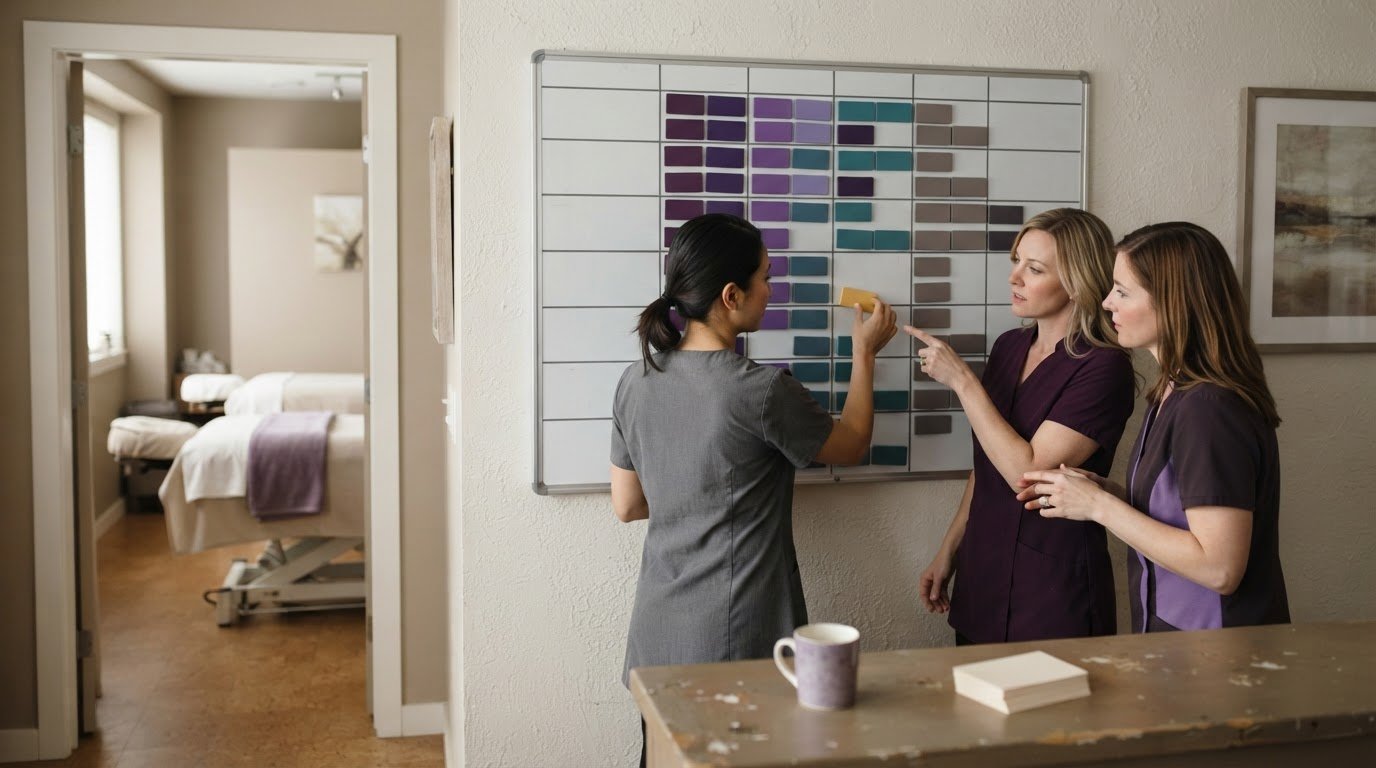

A cloud spa management platform brings scheduling, client records, reporting and communication together for authorized staff. For multi-location operators, it provides shared operational visibility while preserving each site’s calendars and service availability.
Look beyond subscription fees. Compare the features included, reporting, commissions, point of sale, inventory controls and support for daily operations across locations.
This article explains how cloud-based spa management works and what to assess across pricing, functionality and operational controls.
Key Takeaways
- Assess whether scheduling gives teams shared appointment visibility while preserving each location’s providers, calendars and service availability.
- Evaluate access controls, reporting, integrations and scalability against your operating model before adding another location.
- Compare subscription structures and included modules against your growth plans; per-user, per-location pricing can change as a spa group expands.
- Use location-level reporting to examine bookings, provider utilization and service mix, then define consistent rules for commission calculations.
- Review how point of sale and inventory tools fit into daily workflows so sales and stock information support operational decisions.
What Is Cloud Based Spa Management Software for a Multi-Location MedSpa?
A cloud spa management platform centralizes scheduling, client records, reporting and communication for authorized staff across locations. In Canada, operators can assess cloud-based spa systems by how they coordinate these functions and preserve each location’s operating requirements.
Scheduling Across Multiple Locations
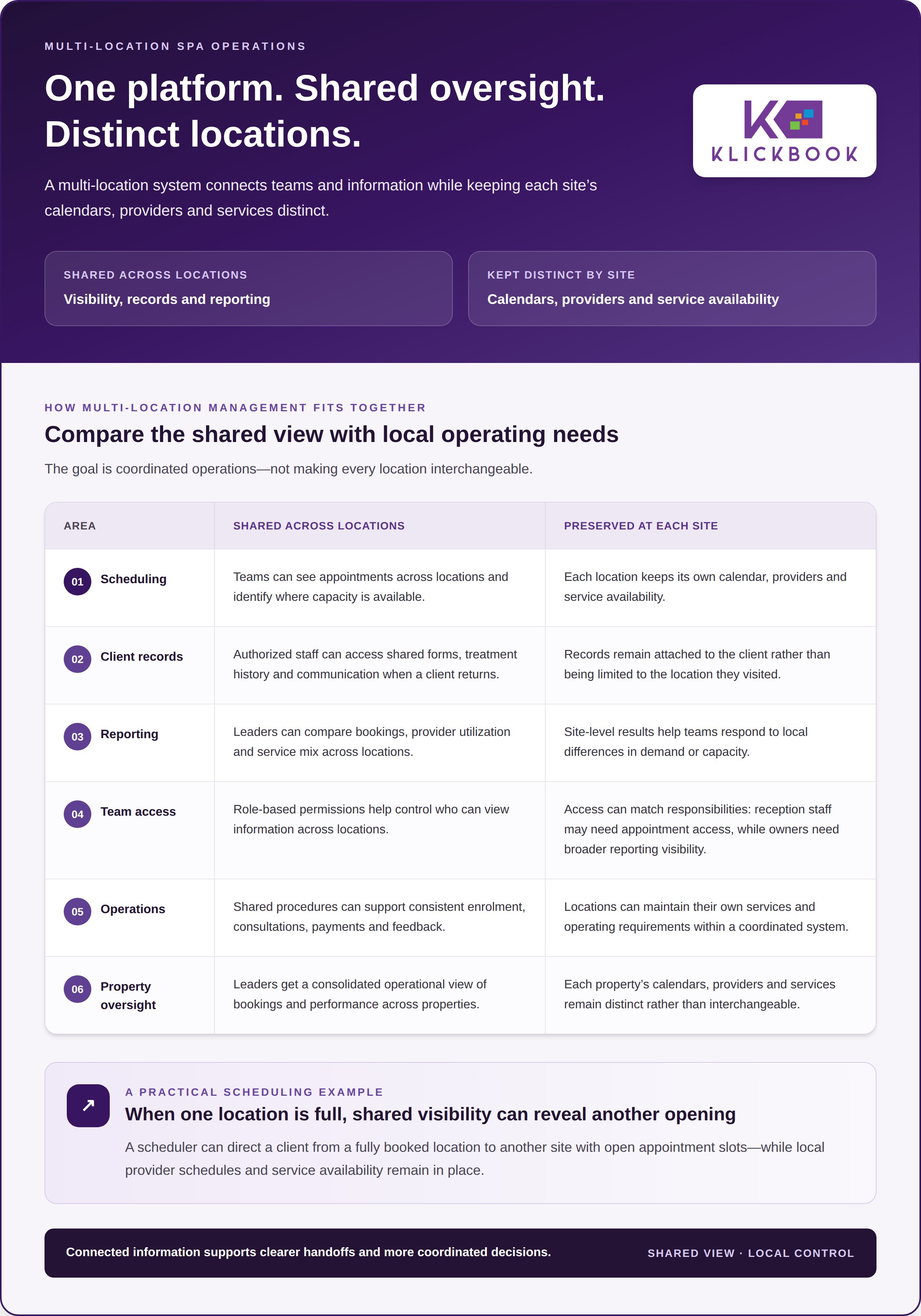
Multi-location scheduling gives teams visibility into appointments across sites while keeping each location’s calendar, providers and service availability distinct. This matters when a client’s preferred site has no suitable opening but another location has capacity.
For example, a scheduler can direct a client from a fully booked location to another site with open appointment slots. Shared visibility also helps owners identify capacity imbalances without replacing local provider schedules. Authorized teams can access booking information across locations, supporting consistent handoffs and fewer disconnected scheduling processes.
Multi-Location Spa Operations
Multi-location spas coordinate bookings, client service and payments across distinct sites. A shared management system can reduce process differences that lead to inconsistent service and slower handoffs between teams.
For example, a client can contact one location and book at another through coordinated booking and communication processes. Teams can maintain location-specific services while following shared procedures for enrolment, consultations, payments and feedback. Owners can then see how each site contributes to the overall business instead of relying on separate local routines.
Reporting Across Locations
Multi-location reporting combines site-level monitoring with an overall view of the business. Owners can compare bookings, provider utilization and service mix by location, then identify differences in demand or capacity.
Sales, client preferences and employee performance can all inform spa analytics. A location with a different service mix may need a distinct operational response, while leadership retains a consistent reporting view. Site-level results support local decisions without obscuring broader performance, helping management focus on where attention is needed.
Shared Records and Communication
Shared client records keep forms, treatment history and communication attached to the client rather than the location visited. When a returning client visits another site, staff can use relevant context instead of treating them as a new client.
Centralized records and internal communication support clearer handoffs between locations. If a booking moves to another site, authorized staff can access the shared client information needed for the appointment. Role-based access helps control who can view information, while location-specific calendars and providers remain distinct. This supports continuity without requiring every site to use identical schedules.
Multi-Property Oversight
Multi-property functionality gives leaders a consolidated operational view while preserving differences between locations. A resort group, for example, may need to monitor each property’s bookings and performance without treating every service calendar as interchangeable.
Cloud access lets authorized teams work with shared information across locations while local teams manage their own availability. When separate processes create conflicting inventory counts or inconsistent client service, a shared operational view can improve coordination. The system needs to connect the information leaders rely on with each property’s distinct calendars, providers and services.
Software selection criteria and buying guidance
Choose spa software around the operating workflows it must connect: booking, staff access, payments, reporting and business systems. Integration with Canadian payment processors, accounting tools and marketing platforms depends on supported connections and the data each system can exchange.
Choosing Spa Software Features
Use specific operating needs and growth plans to assess how well software supports daily workflows. Prioritize real-time scheduling, role-based access, reporting, integrations, usability and scalability.
A day spa may prioritize appointment changes and checkout, while a resort spa may need hotel system coordination. Assess how permissions distinguish front-desk access from management reporting, and whether teams can follow consistent processes across locations. Features matter when they reduce duplicate entry or give decision-makers useful operational information.
Integrating Hotel and Business Systems
Integration links spa workflows with hotel, payment, accounting and marketing systems, reducing disconnected records and manual transfers. For a hotel with an on-site spa, the relevant test is whether a booking, guest detail or charge can move through the intended workflow.
Canadian payment processor, accounting and marketing connections depend on the software’s supported integrations and mapped data fields. A connection may transfer payment information without syncing every accounting category or campaign detail. Define the required flow first, then assess what data moves, in which direction, and where staff must still enter information.
Accessing Cloud Software
Cloud accessibility lets authorized salon and spa teams use software through connected devices rather than relying on one on-site workstation. This can support managers reviewing operations away from reception and staff accessing current schedules across locations.
Access controls are essential: assign permissions by role and match each role to its responsibilities. Reception staff may need appointment access, for example, while owners need broader reporting visibility. Remote access does not replace a clear access policy; it makes defined permissions more important across devices and sites.
Staff training and software updates also affect operational continuity. Centralized updates can reduce local installation work, but teams still need to know how changes affect their tasks. Map which roles use each workflow, then train staff on booking changes, payment handling and report interpretation. Consistent procedures help teams use the same functions correctly across locations.
Before adopting a system, document the systems involved, data flows, user roles and training needs. Map a sample transaction from appointment to payment and accounting entry to uncover workflow gaps before they become routine. A cloud system should fit the operating model, not force staff to maintain parallel records or rely on end-of-day reconciliation.
Subscription pricing and modular features
Cloud spa management software may use monthly or annual subscriptions, with charges structured by user, location or selected modules. Compare the full operating scope, not just the entry plan: a lower subscription can exclude functions needed for booking, point of sale or reporting.
Some providers separate core functions from optional modules. When reviewing a free feature set or premium plan, map each included capability to a workflow. For example, if the base tier supports appointment booking but excludes reporting, managers may need another tool to review location performance. The relevant cost is the subscription structure alongside the systems and processes required to fill those gaps.
Pricing models can behave differently as an organization grows. Per-user, per-location pricing may appear affordable at three branches but become unmanageable at ten. Monthly or annual payment options also affect budgeting: monthly billing can align charges with shorter planning cycles, while annual billing requires planning around a longer commitment. Compare these terms against expected locations, users and modules rather than evaluating one site in isolation.
Cloud software risks include cyberattacks, data theft, data disclosure and technical incidents that compromise services, according to the European Union. Other operational concerns include reliance on connectivity and the difficulty of moving workflows if a business changes systems. Review access controls, export options, contract terms and the treatment of business records before committing. For example, a spa group should understand how booking and client data can be retrieved during a transition.
Vendor lock-in can develop when a spa relies on proprietary data formats, custom workflows or integrations that are difficult to replace. Before adopting a system, identify the records the business needs to retain, such as appointment history, sales and reporting outputs. Assess how data can be exported and what a migration would involve. Clear exit terms support informed decisions without assuming a future switch.
Software features can also inform revenue decisions. Booking patterns, service mix and available capacity help managers review service pricing, promotions and appointment availability. A system provides operational information; owners decide how to use it. A location with open appointment slots might evaluate a promotion, while another site focuses on preserving capacity for established demand.
Build a total-cost view around locations, users, modules, payment frequency, integrations and transition requirements. A cloud management system should fit current operations and planned expansion. Comparing the same workflow across subscription tiers helps expose excluded capabilities, added charges and dependencies before they affect day-to-day decisions.
Reporting, commissions and financial controls
Financial reporting connects service activity, provider performance and sales with operational decisions. Useful reports show what was booked, delivered and charged, organized by location, service and provider. A single total can conceal important differences: one site may have a different service mix or provider utilization than another. Reporting should make those differences visible.
Location-aware reporting lets owners compare bookings, provider utilization and service mix by site while reviewing the overall business. A manager can examine whether one property has more open provider capacity while another has stronger demand. Sales, client preferences and employee performance also inform analytics. Comparing measures over consistent reporting periods helps leadership interpret changes rather than rely on isolated daily totals.
Commission calculations need clear operational rules. Define which completed services, retail sales, packages or adjustments count toward each provider’s compensation. If one provider delivers a service and another checks out the client, for example, agree on how to attribute the transaction. Configure reporting categories to match that policy, then review sample transactions before using commission summaries for payroll preparation. Clear definitions help prevent disputes caused by inconsistent entry.
Checkout controls connect transaction records with business reporting. Managers can compare completed appointments, charges, discounts and payment totals to identify discrepancies for review. POS records can also separate service revenue from retail sales, giving owners a clearer view of each revenue stream. A consistent closeout process matters: record adjustments with a reason and preserve the transaction trail for later reconciliation.
Cross-location financial controls need common definitions alongside local visibility. If one location classifies a service package differently, consolidated reports may misrepresent the group’s service mix. Standardize categories for services, providers and sales, then use site-level reports to show local performance. Leaders can compare booking volume and provider utilization without treating different operating conditions as identical.
Management teams can use these reports to investigate efficiency, not just measure totals. If provider utilization changes while bookings remain steady, review service duration, schedule gaps and appointment allocation. If retail sales shift, compare product categories and checkout records. These comparisons help distinguish a demand change from a recording issue, giving owners a more precise basis for operational decisions.
Reporting is most useful when it aligns with established financial controls. Define who reviews exceptions, which transaction details need explanation and how location totals are consolidated. Spa management software with reporting and POS capabilities connects operating activity with sales records, supporting a clearer view of performance across properties.
What features should spa management software include?
Core features should connect the work behind each appointment, sale and stock movement. For a spa group, assess scheduling, staff administration, client communication, reporting, integrations and usability as one operating environment. A feature has practical value when it supports a defined workflow, such as updating availability after a booking or recording a retail sale at checkout.
Scheduling tools should manage provider availability, appointment changes and service capacity. Automated reminders can support booking updates, while staff scheduling helps coordinate provider workloads. A manager reviewing provider utilization needs current availability data, not a separate spreadsheet updated after the day’s appointments.
Client forms and records can reduce repeated administrative steps. Online forms, reminders, consent collection and integrated checkout help teams coordinate information before and after a visit. In a multi-location spa, shared client records keep forms, treatment history and communication attached to the client, not the location visited. Authorized staff can access relevant context when a returning client books elsewhere.
Point-of-sale functionality should connect service and retail transactions with operational records. For example, when a client purchases a skincare product during checkout, sales analytics can help managers identify popular products and inform purchasing decisions. Inventory tools can track stock in real time, automate reordering and help reduce waste. Together, sales and usage reports provide a clearer view of product movement than disconnected sales and stock records.
Reporting should support both operational review and management decisions. Reports on sales, client preferences and employee performance help leaders assess service mix and provider activity. Customizable reports let different roles focus on relevant measures: a site manager can review local utilization, while an owner examines performance across the business.
Integration and scalability affect how well features work together as operations change. A system should connect with the business tools required for its workflows and accommodate additional locations without forcing teams into separate processes. Usability matters too: a clear interface helps reception staff complete booking and checkout tasks consistently, while managers review reports without manually assembling data.
Assess each feature through a real operating example: a client submits a form, books an appointment, receives a reminder, completes checkout and purchases a product. Trace the information across scheduling, communication, sales reporting and inventory. This reveals handoffs, repeated entry and gaps that a feature list alone can miss. Explore connected spa management capabilities for operational workflows that bring booking, sales and reporting into view.
Milano Software
Milano Software’s Klickbook spa management software is designed to connect spa operations with online booking, reporting and POS workflows. Its cloud platform brings appointment access, operational visibility and transaction records together in one spa management environment.
Turn to Milano Software when disconnected booking, sales and reporting processes make spa operations harder to coordinate. Klickbook may suit day spas, resort spas and Nordic spas looking for an integrated management platform. Its online booking, POS and reporting capabilities can help teams coordinate appointments, transactions and operational information.
To discuss how these capabilities align with your spa’s operating model, contact Milano Software.
Set the operating model for what comes next
A cloud spa management platform should support how your organization intends to operate, not simply replicate existing processes online. Identify which workflows must remain consistent across locations and where local teams need flexibility. That operating model gives technology decisions a practical reference point as the business grows.
When assessing Milano Software’s spa management, online booking and reporting capabilities, ask how they align with those priorities. Consider how teams will use booking information, how leaders will review operational performance and which processes need coordinated oversight. These requirements create a clear basis for evaluating system fit and operational goals.
Use the next conversation to connect your growth plans with the workflows your teams depend on. Discuss your spa’s operating needs with Milano Software and take a considered next step toward a more coordinated operating model.
Frequently Asked Questions
Deciding what spa software is best?
The right system matches your operating model and decision-making needs. A single-site day spa and a resort group have different requirements for permissions, oversight and workflow ownership. Identify who will administer the system, approve configuration changes and rely on its records. This governance view helps distinguish a good organizational fit from a platform that simply has a long feature list.
What is a cloud spa management platform and how does it work?
A cloud spa management platform is software hosted online and accessed through an internet connection. Rather than maintaining a separate installation at each site, teams use the hosted service and its configured workflows. Administrators define roles and operating settings; staff use the functions relevant to their work. This model supports centralized administration and access from authorized devices.
How do the leading spa management platforms compare in features and ease of use?
Compare platforms by watching how users complete routine tasks and recover from common errors. Assess whether a manager can correct a booking detail without disrupting other records, for example, and whether staff can identify the next required action. Review navigation, role-specific screens and terminology. These usability differences can affect adoption even when two systems offer similar capabilities.
How does a cloud spa platform manage online booking, staff schedules, and client records?
A cloud platform connects operational records through configured workflows that relate appointments to staff availability and client profiles. A change to a provider’s availability can update the appointment options presented, while the client record provides context for service planning. Configuration and staff permissions determine how each workflow operates, so define who creates, edits and reviews each record.
What privacy, data security, and Canadian data residency requirements apply to spa software?
Data residency describes where information is stored and processed; it is separate from the controls used to protect access. Review vendor documentation for hosting locations, data flows, retention, access management, backups and incident handling. Identify whether client records or payment details pass through other services. These details help an organization assess its privacy and security needs without assuming that Canadian hosting alone addresses every concern.
How can a spa migrate client and appointment data to a cloud management platform?
Plan migration around ownership and acceptance, not just file transfer. Assign someone to approve the records being moved, identify information to keep archived and set criteria for a successful handover. After the transition, reconcile representative records and confirm staff can find what they need for active operations. Agree on how to handle discrepancies so teams know which record is authoritative during the changeover.
How should a spa choose and evaluate a management platform before signing up?
Before signing, document the agreed scope, responsibilities, implementation assumptions and decision-making authority. Confirm how configuration changes are approved, who administers users and how operational questions are handled after launch. For a multi-site group, record which procedures are standardized and which remain locally managed. This gives executives and site teams a shared reference and clarifies what the selected system is expected to support.